AI Email Automation for a CRM
An AI-assisted email system built into a custom CRM. New leads get a welcome email automatically, and the team can ask an AI to draft follow-ups from the lead page, then approve, edit, send or schedule them without leaving the dashboard.
The problem
The CRM gave the client one place to see every lead, but follow-up emails still happened outside it. Each message had to be written from scratch, sent from a separate inbox, and there was no record on the lead of what had already been sent. Writing good emails takes time, and when the team is busy, new leads wait.
What I built
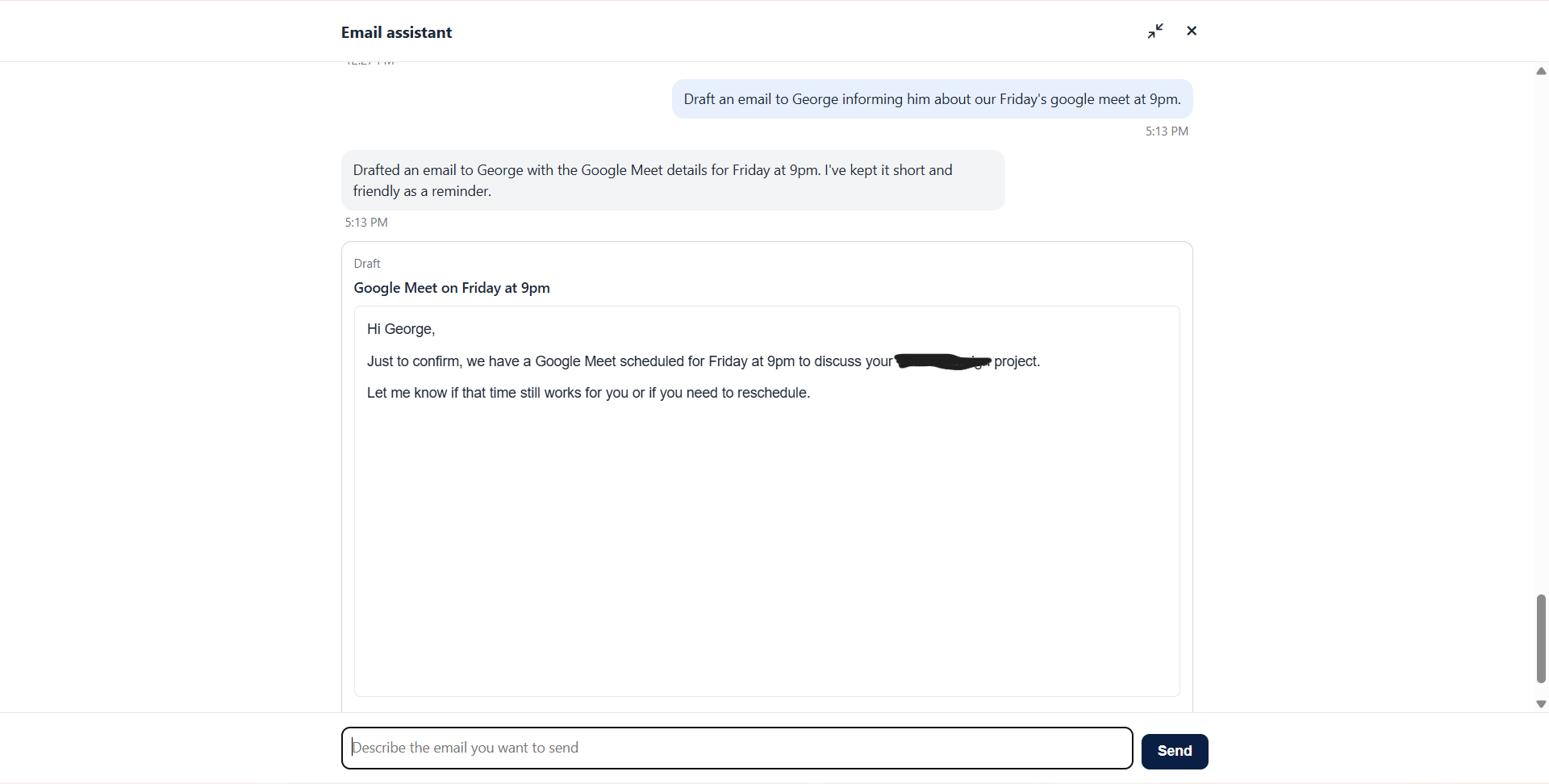
An email layer that runs on the same database as the CRM. When a lead comes in, a welcome email goes out automatically. For everything else, the team opens a lead, describes the email they want in a chat panel, and an AI assistant drafts it. They can ask for changes as many times as they like, then approve it to send now or at a scheduled time. Every email sent to a lead is listed on that lead's page. The AI only writes drafts: it cannot send anything, and nothing leaves without a person pressing approve.
Inside the system
Chat drafting from the lead page
A chat panel on each lead lets the team describe what they want, such as a follow-up after a call or a reply to a question. The assistant sees the lead's details and the earlier conversation, so drafts are specific to that lead rather than generic.
Review, edit and approve
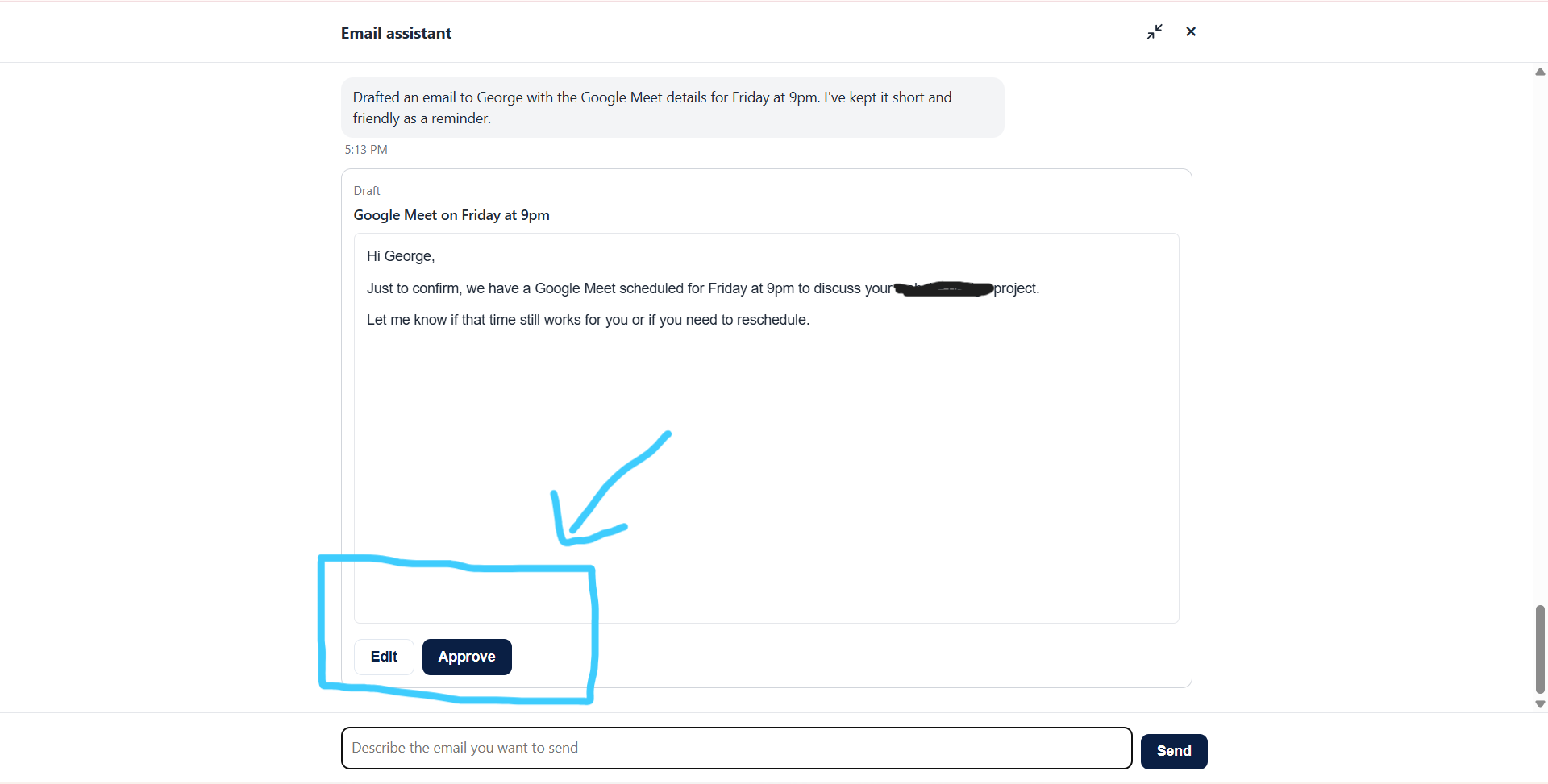
Each draft appears as a card in the chat. Edit asks what should change and the assistant updates the same draft in place. Approve is a separate step that never involves the AI, so a person always makes the final call.
Send now or schedule
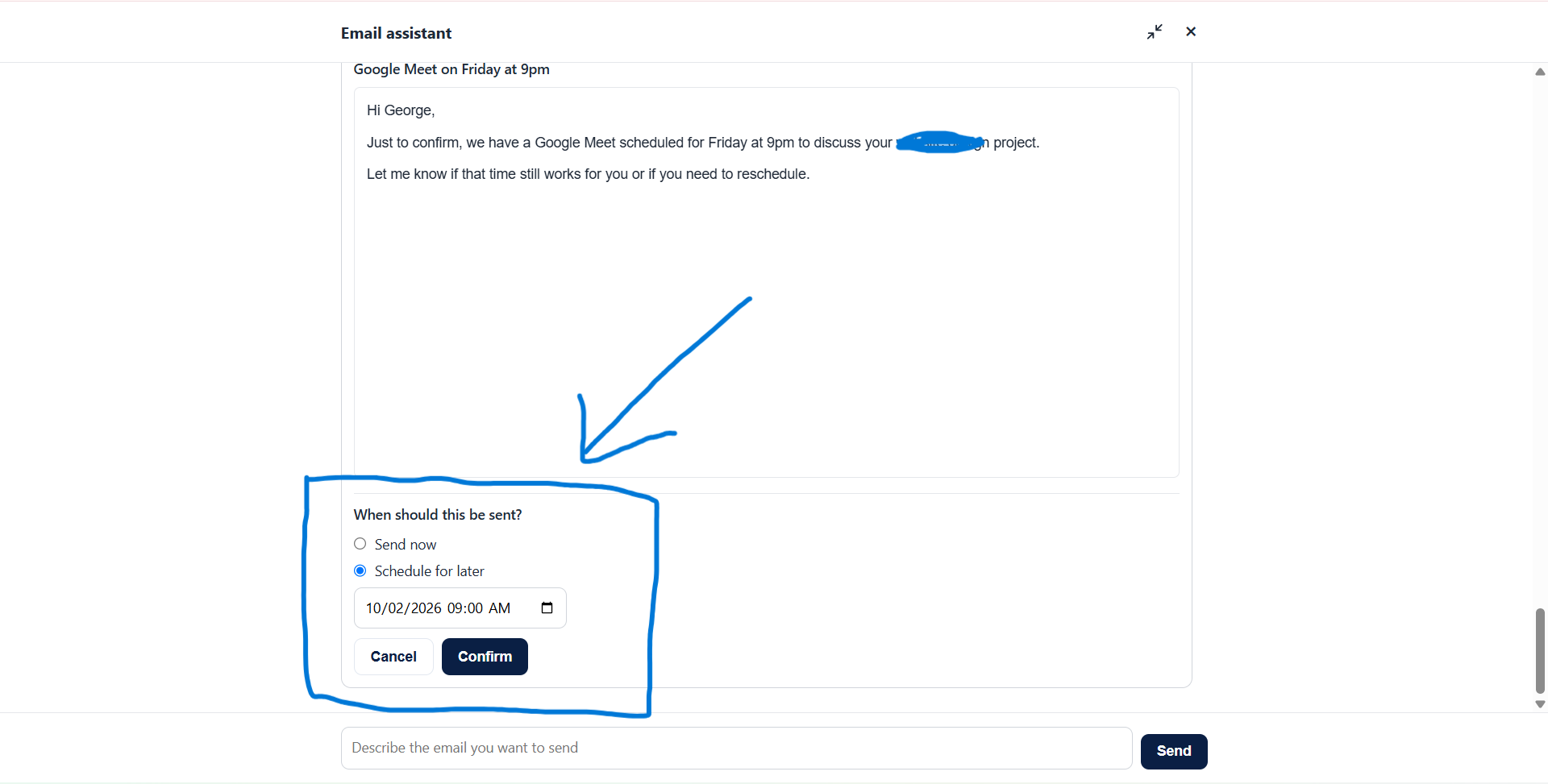
Approved emails can go out immediately or at a chosen date and time. Sending now does not wait for a schedule cycle, and a scheduled sender checks for due emails on a regular interval. The system prevents the same email from being sent twice, and a failed send is clearly marked instead of being retried blindly.
Email history on every lead
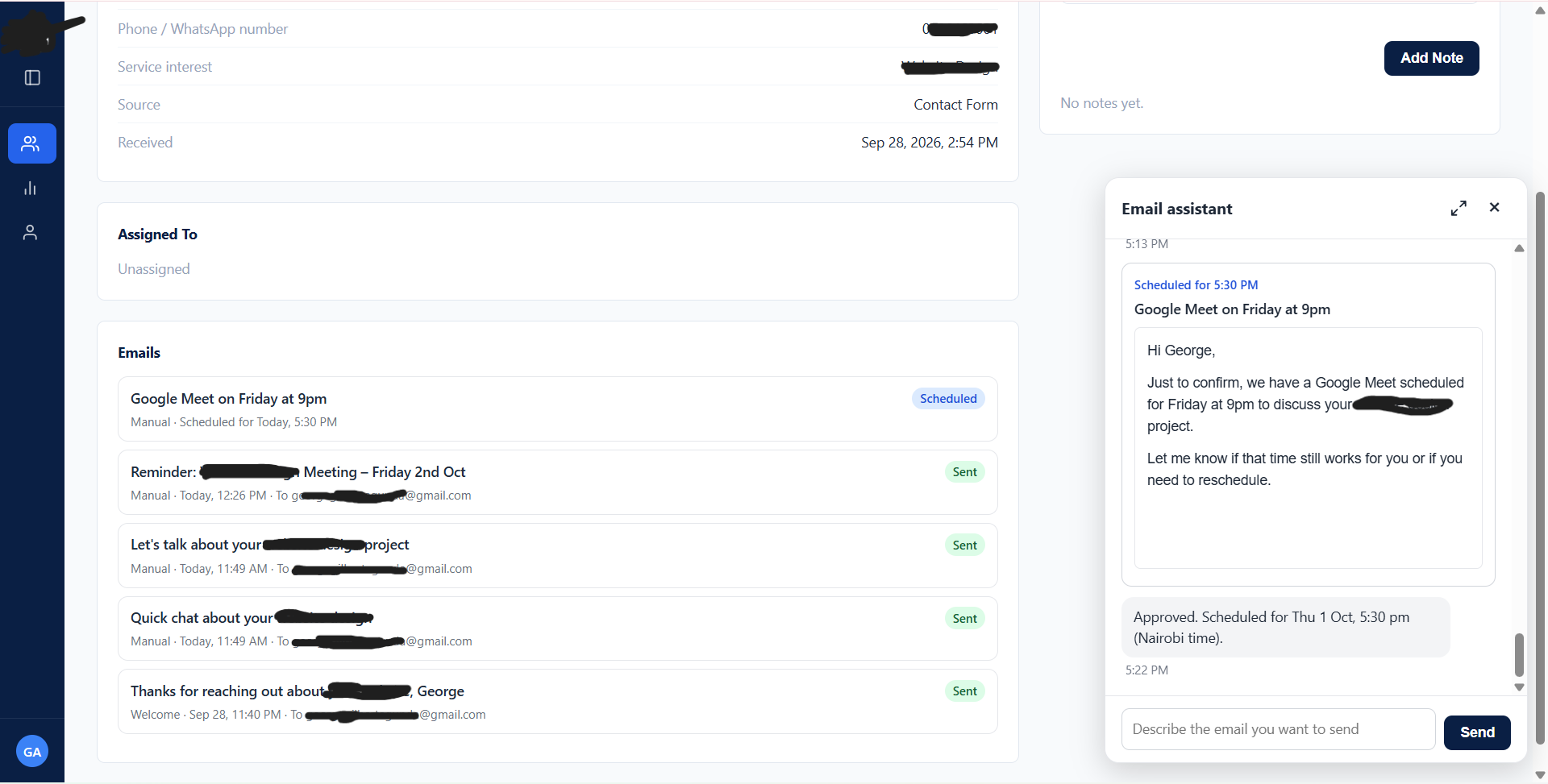
The lead page lists every email for that lead, newest first, with Sent, Scheduled, Sending and Failed labels. Any email can be expanded to read exactly what was sent, and the list refreshes on its own.
Automatic welcome emails
As soon as a new lead is created, a branded welcome email is sent to them, filled in with the service they asked about. It is logged on the lead like any other email.
Security built in
Every request is checked before anything happens: the system confirms who is signed in and only continues for an admin or the agent the lead is assigned to. Emails use the company's branded layout, and the AI's output is cleaned before it is stored. The AI has no direct access to the database and cannot send email.
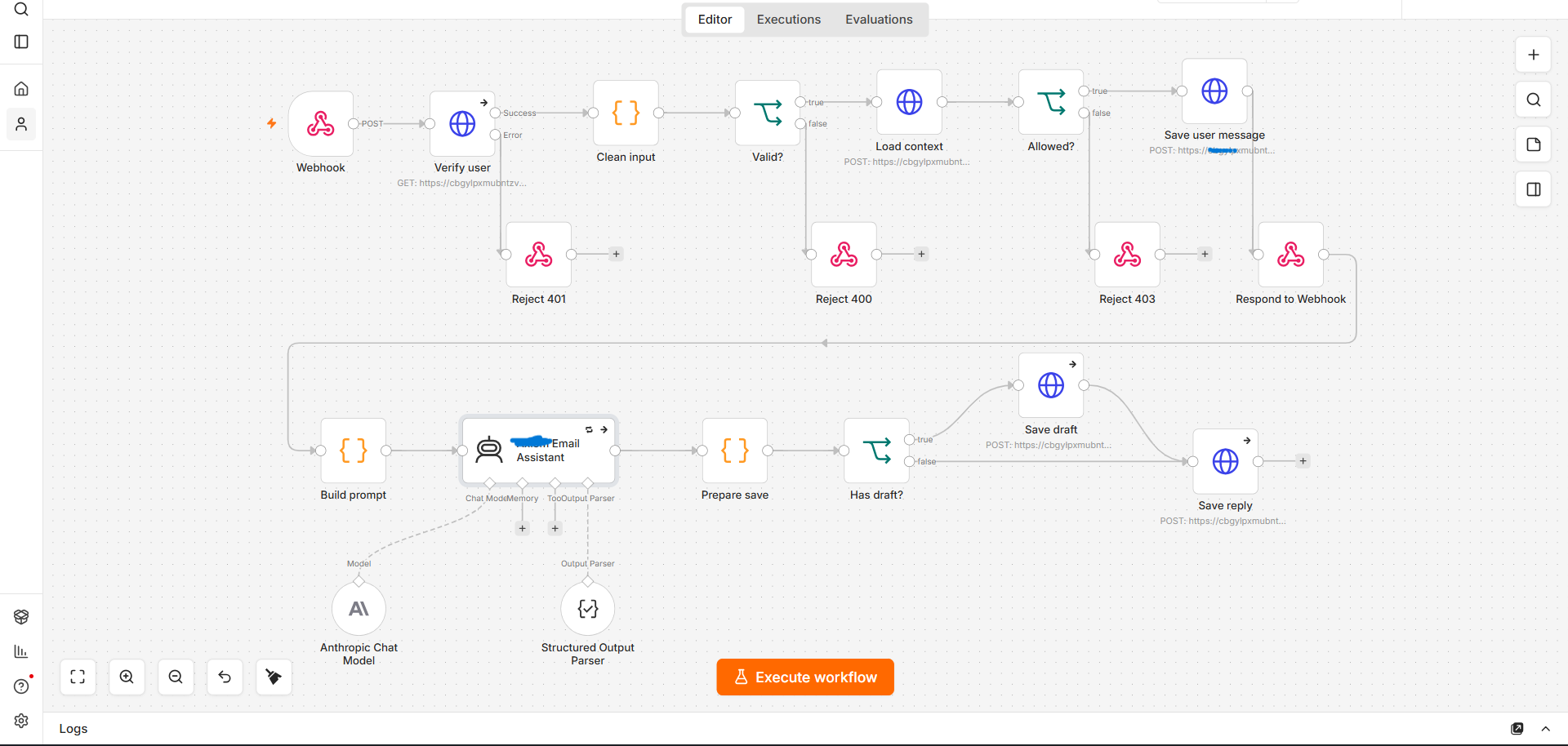
The workflows behind it
The system runs as a set of n8n workflows covering welcome emails, AI drafting, approval, and the scheduled sender, hosted on the client's own server and connected to the CRM's database.