Kosalo Web Checkout
A secure web checkout that lets savings groups pay for their Kosalo subscription by M-Pesa. It sits outside the mobile app on purpose and connects to it through the app's Billing screen.
The problem
Kosalo's members and officials pay by M-Pesa, but Google Play's payment policy means subscription payments should not be handled inside the app. The business still needed a way for a group to pay quickly, get the right amount charged, and have the subscription updated without anyone editing records by hand.
What I built
A three-step web checkout that the app's Billing screen links to. A group finds itself with its Group ID, reviews what it owes, pays by M-Pesa through Paystack, and is shown the result straight away, whether the payment went through or not. The amount is calculated on the server, never in the browser, so it cannot be changed by the person paying. Payments are confirmed automatically on the server once Paystack reports them. It is part of the wider Kosalo app project.
Inside the checkout
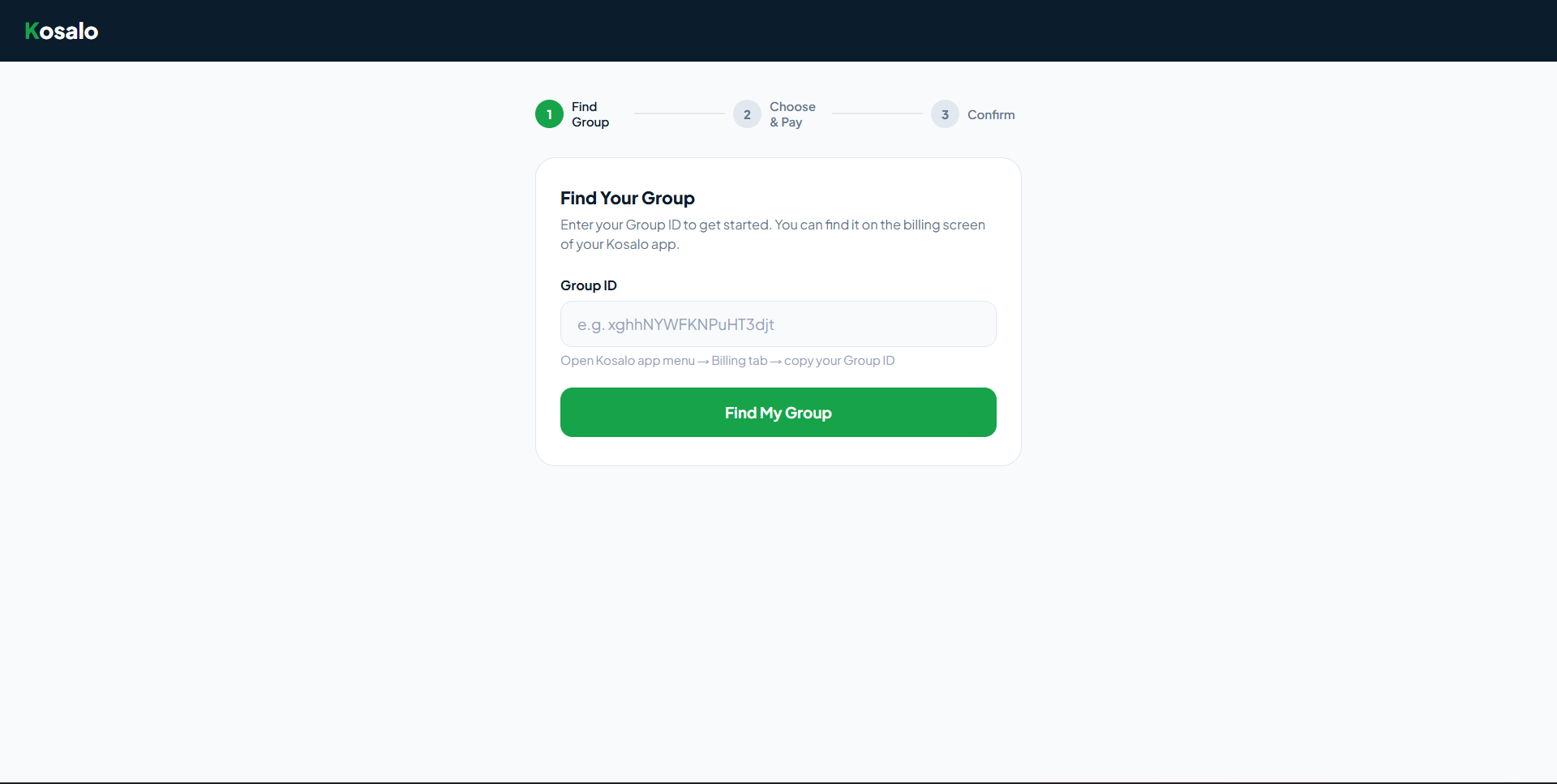
Find your group
The user enters the Group ID they copied from the Billing tab of the app, and the checkout looks the group up. No account or password is needed on the website.
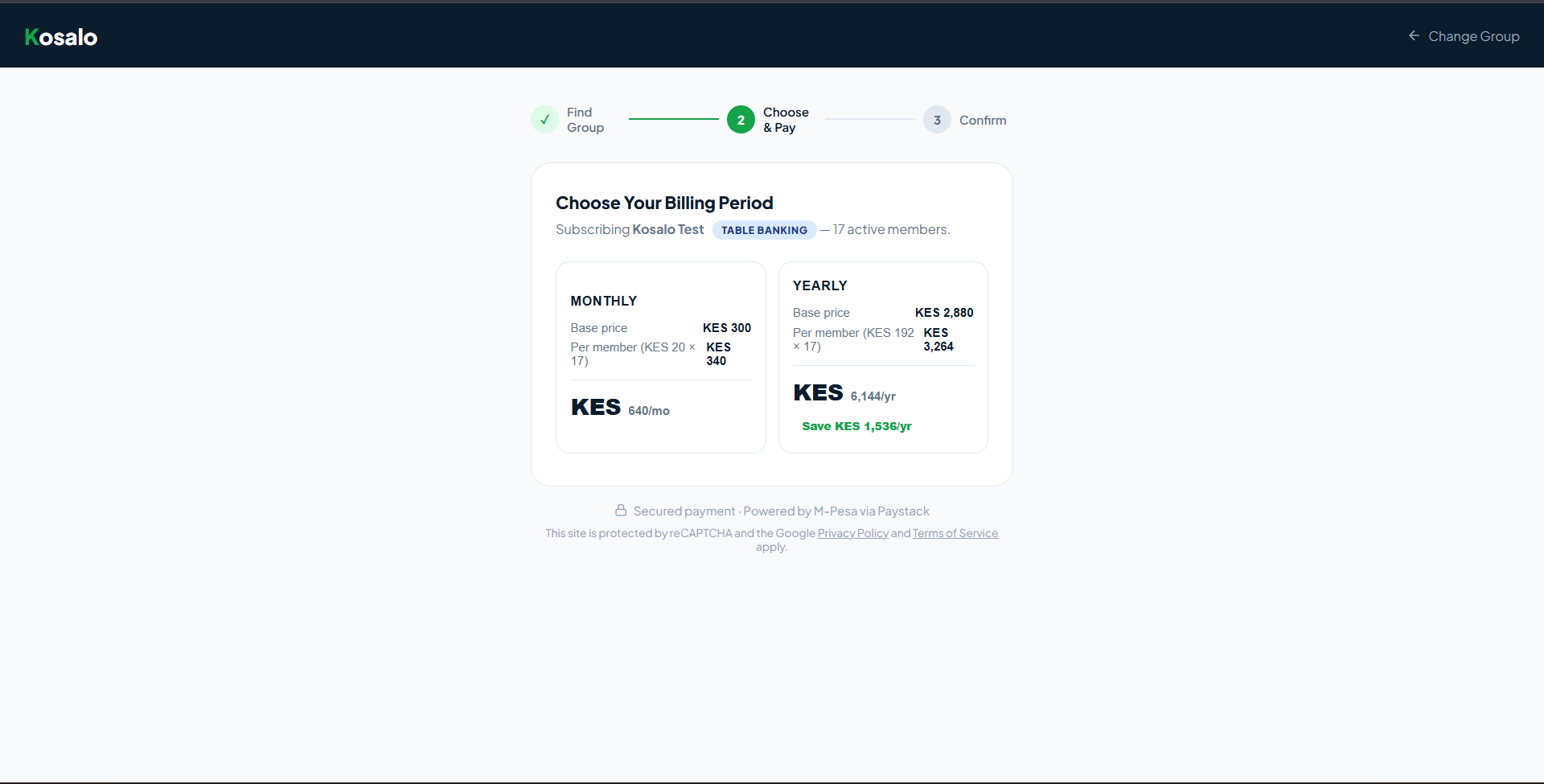
Choose and pay
Shows what the group owes, including any arrears, with a discount when billed yearly. The price is worked out from the group's type and size on the server, and payment is made by M-Pesa.
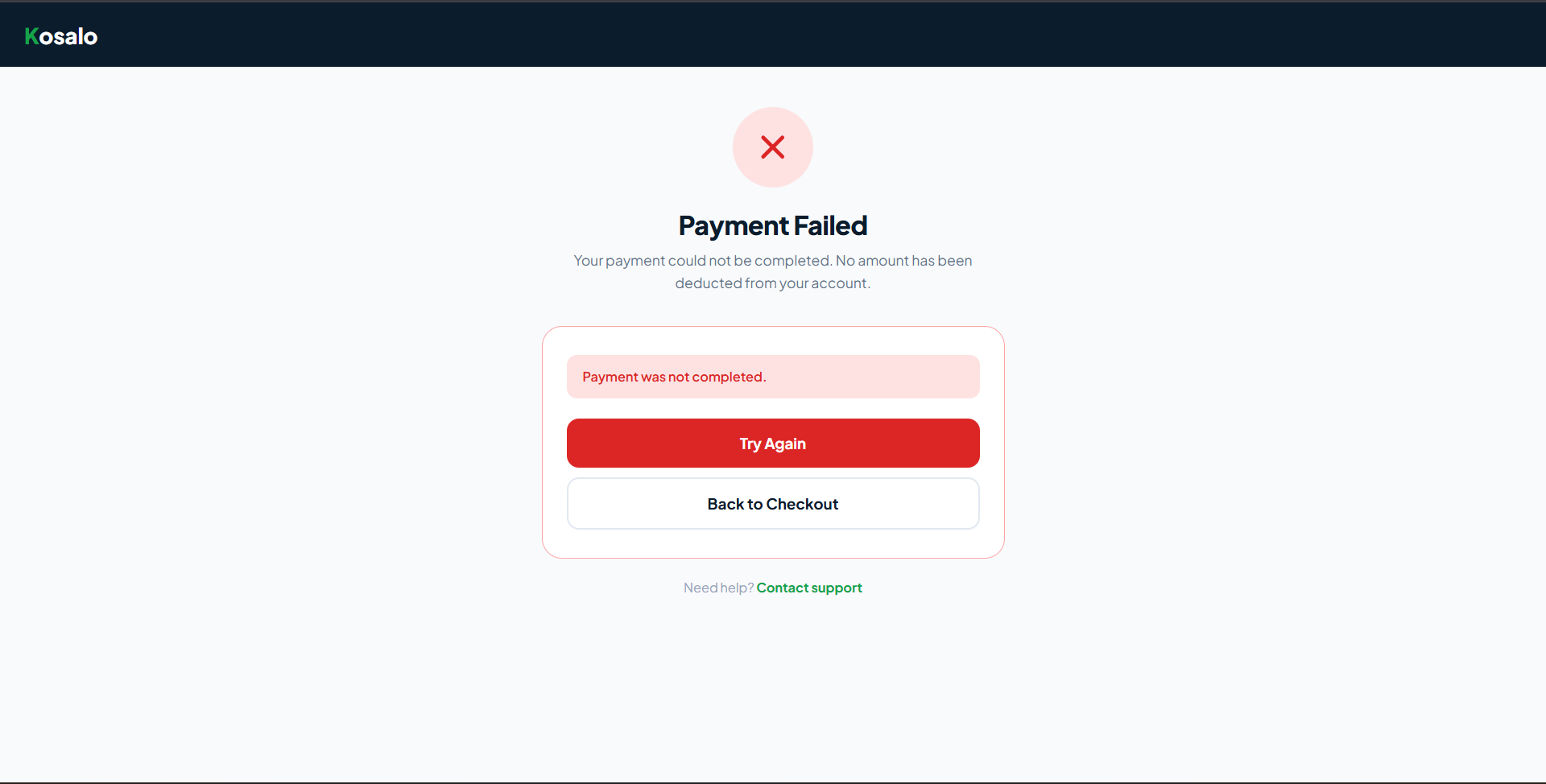
Confirmation: success and failure
One result screen handles both outcomes. When the payment is verified, the group sees a confirmation and its subscription is updated automatically. When it fails, the screen says plainly that nothing was deducted and offers Try Again, Back to Checkout, or a link to support.
Behind the scenes
Scheduled trial and renewal reminder emails, automatic subscription expiry checks, a short grace period after a trial, and top-ups to activate newly added members. Public endpoints are protected with reCAPTCHA.
Tools used
Want to see it for yourself? Visit the checkout →

“Making payments for our year subscription was very easy through this checkout, I followed the steps and I was able to pay using M-pesa and our group was immediately activated.”